
Why is the app not showing on the customer account?
Ready in 2 Minutes — No Technical Skills Needed
If Custlo is not appearing on your customer account page, there are 3 common reasons why this happens. Follow the steps below to identify and fix the issue.
Reason 1: No Active Subscription
Custlo requires an active subscription to display on your customer account. If you haven't subscribed to a plan yet, the app will not be visible.
How to fix it:
Open your Shopify store
Open the Custlo app
Go to the Plan section
Click Upgrade Plan and select a plan
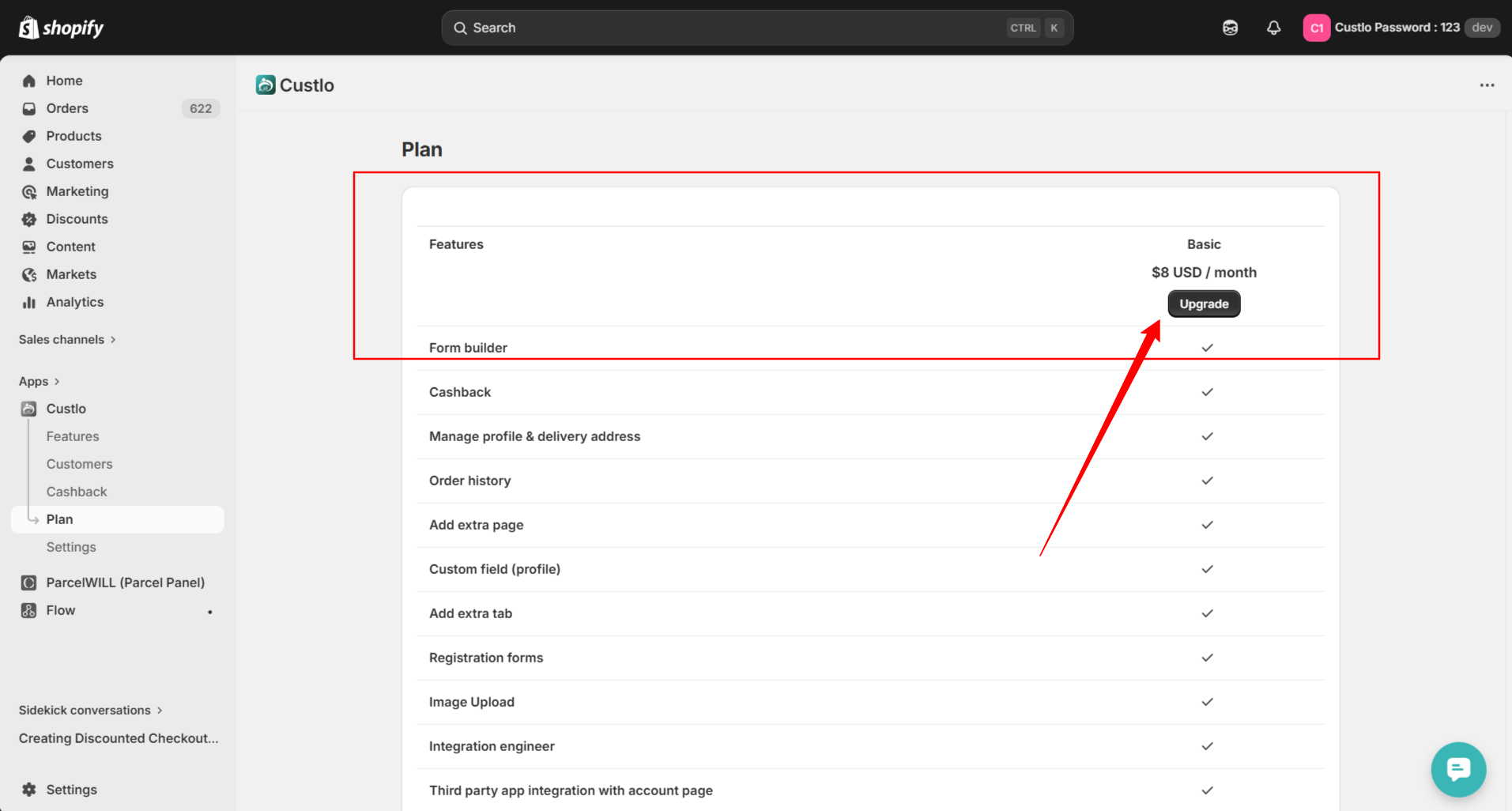
If you already have an active subscription, skip this step.
Reason 2: App Embed Is Not Enabled
Even with an active plan, Custlo won't show up if the app embed is not turned on in your theme editor.
How to fix it:
Go to Sales Channels in your Shopify admin
Click on Online Store
Click the Edit button on your Live Theme
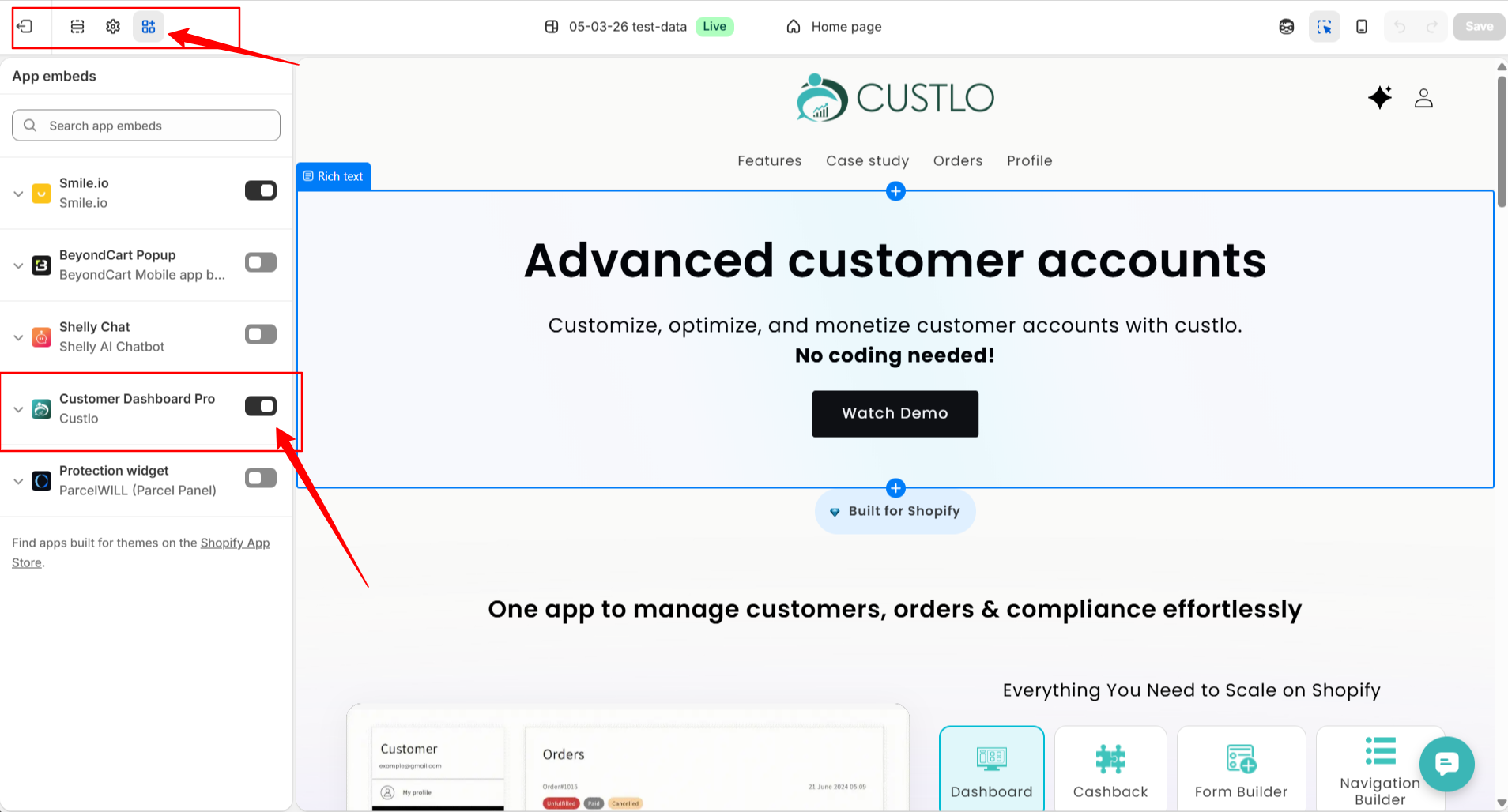
In the Theme Editor, click the Apps icon on the left sidebar
Find Custlo and toggle it ON
See the screenshot below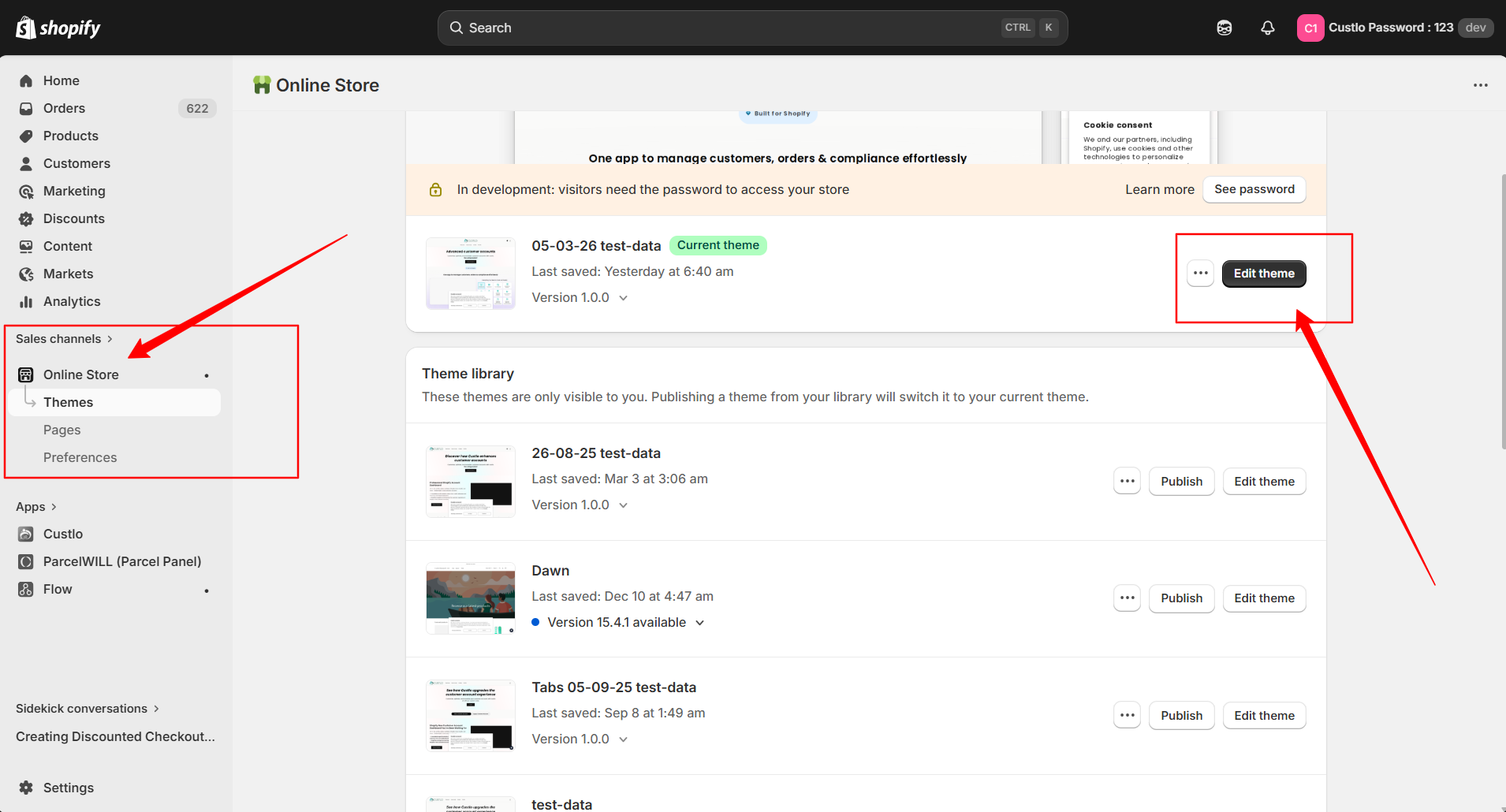
Reason 3: App Status Is Disabled
Sometimes the app status inside Custlo gets disabled, which prevents it from displaying on the customer account.
How to fix it:
Open your Shopify store
Go to Apps and open Custlo
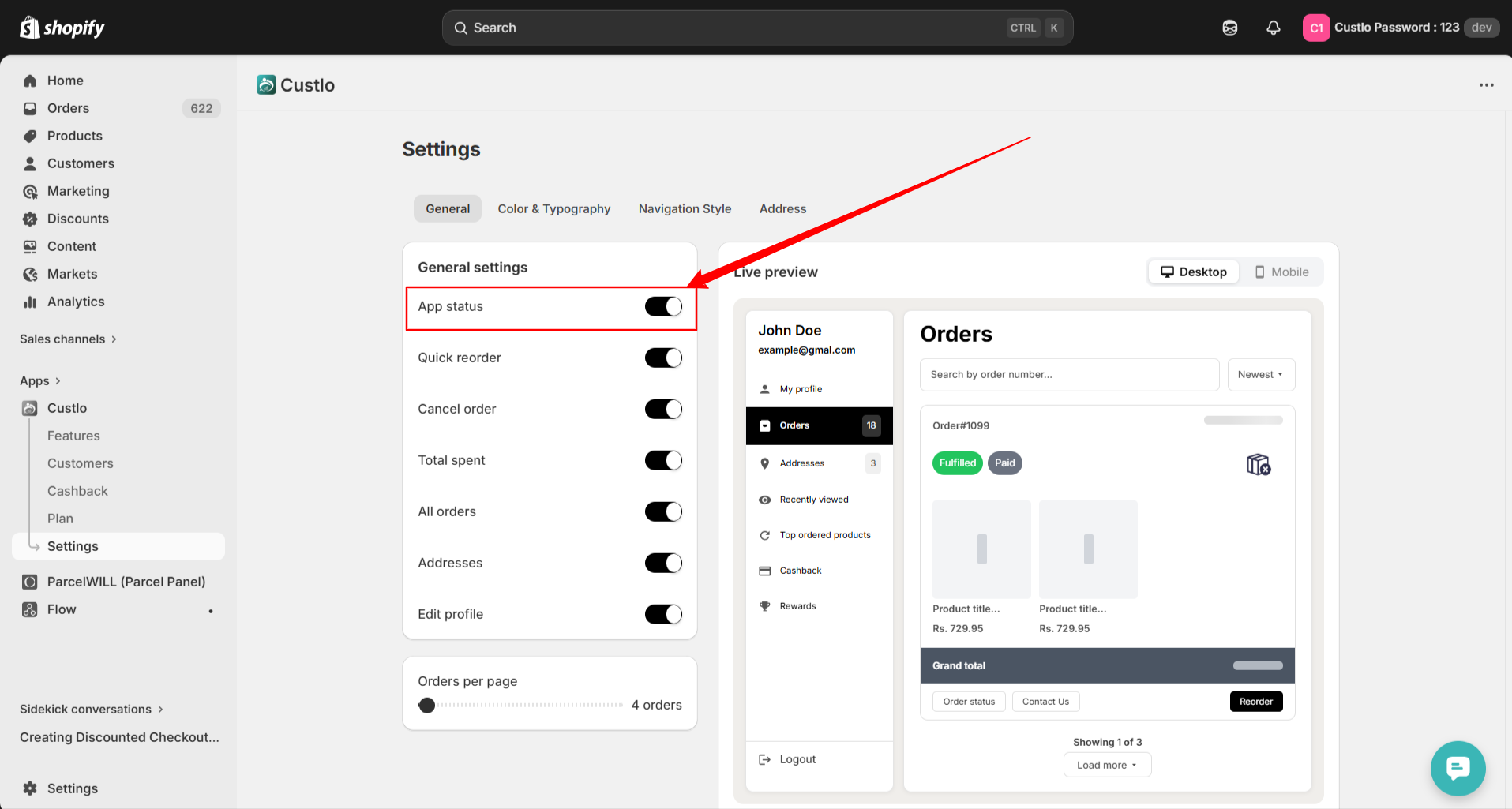
Click on Settings in the navigation
Find App Status and toggle it ON
Still Not Working?
If you've checked all 3 reasons and Custlo is still not showing, please reach out to our support team via Live Chat — we're happy to help!