
How do I integrate Custlo with Judge.me Product Reviews?
Judge.me Product Reviews helps merchants collect and manage product reviews. By integrating Judge.me with Custlo, you can add a Write a Review button to your Customer Dashboard, allowing customers to quickly leave reviews for their purchased products.
Follow the steps below to enable the integration.
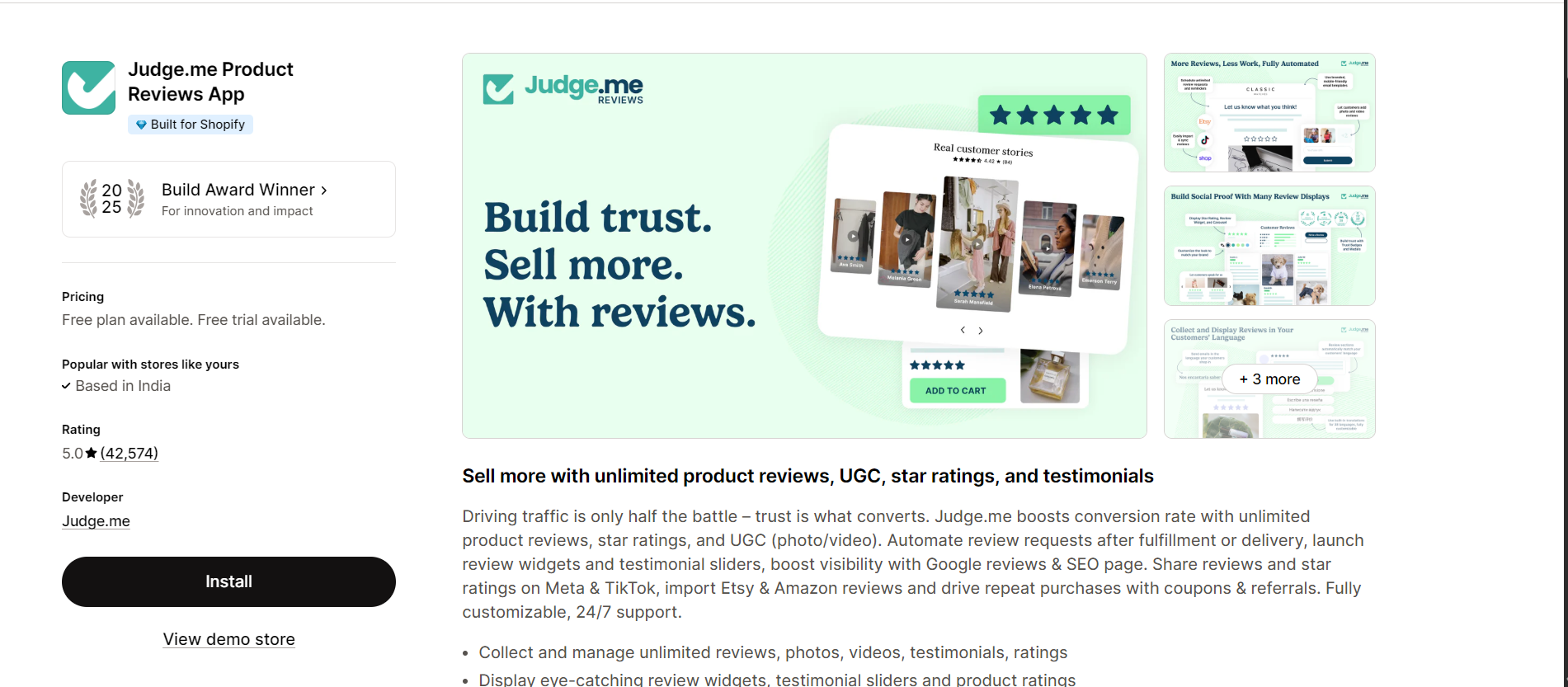
Step 1: Install the Judge.me Product Reviews App
Install and configure the Judge.me Product Reviews app from the Shopify App Store.
Step 2: Open the Custlo App
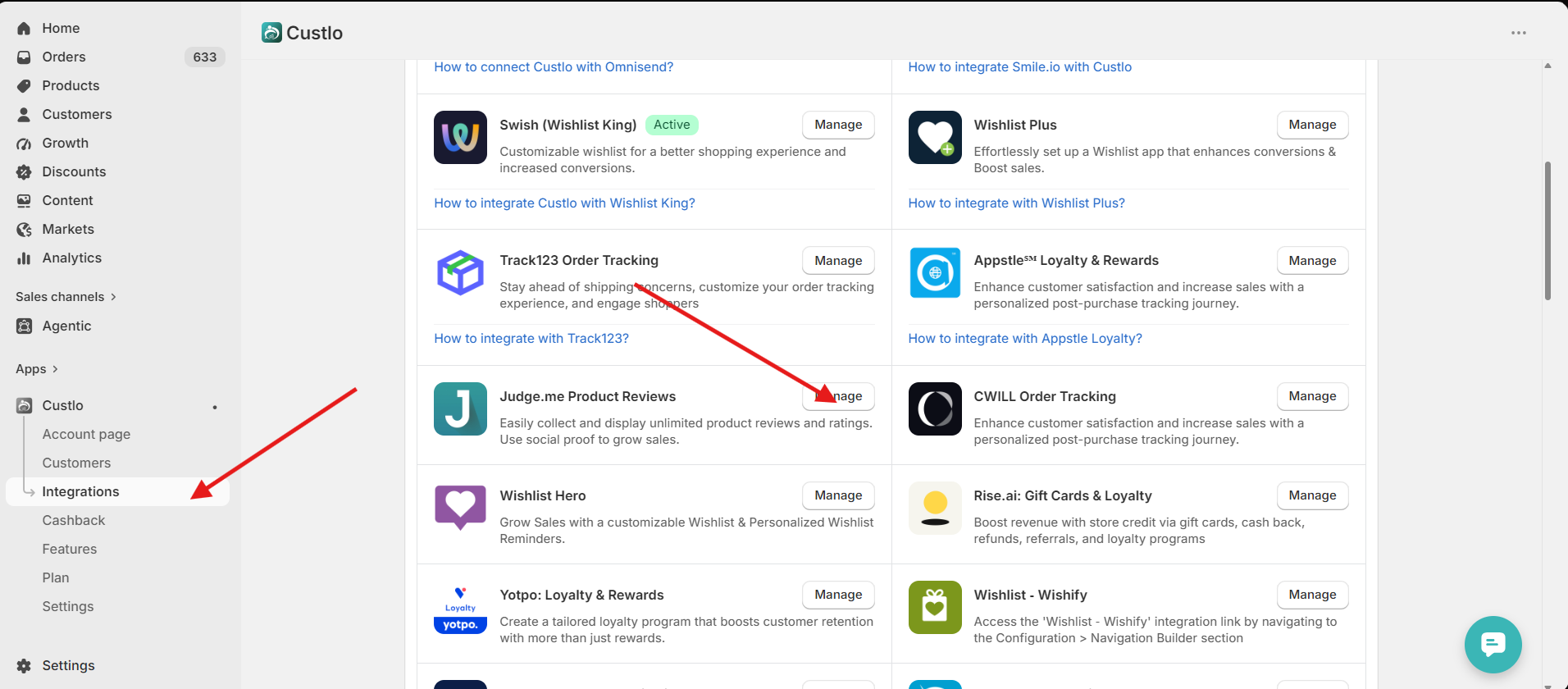
Go to Shopify Admin → Apps → Custlo – Customer Dashboard Pro.
From the left sidebar, click Integrations.
Locate Judge.me Product Reviews and click Manage.
Step 3: Connect the Integration
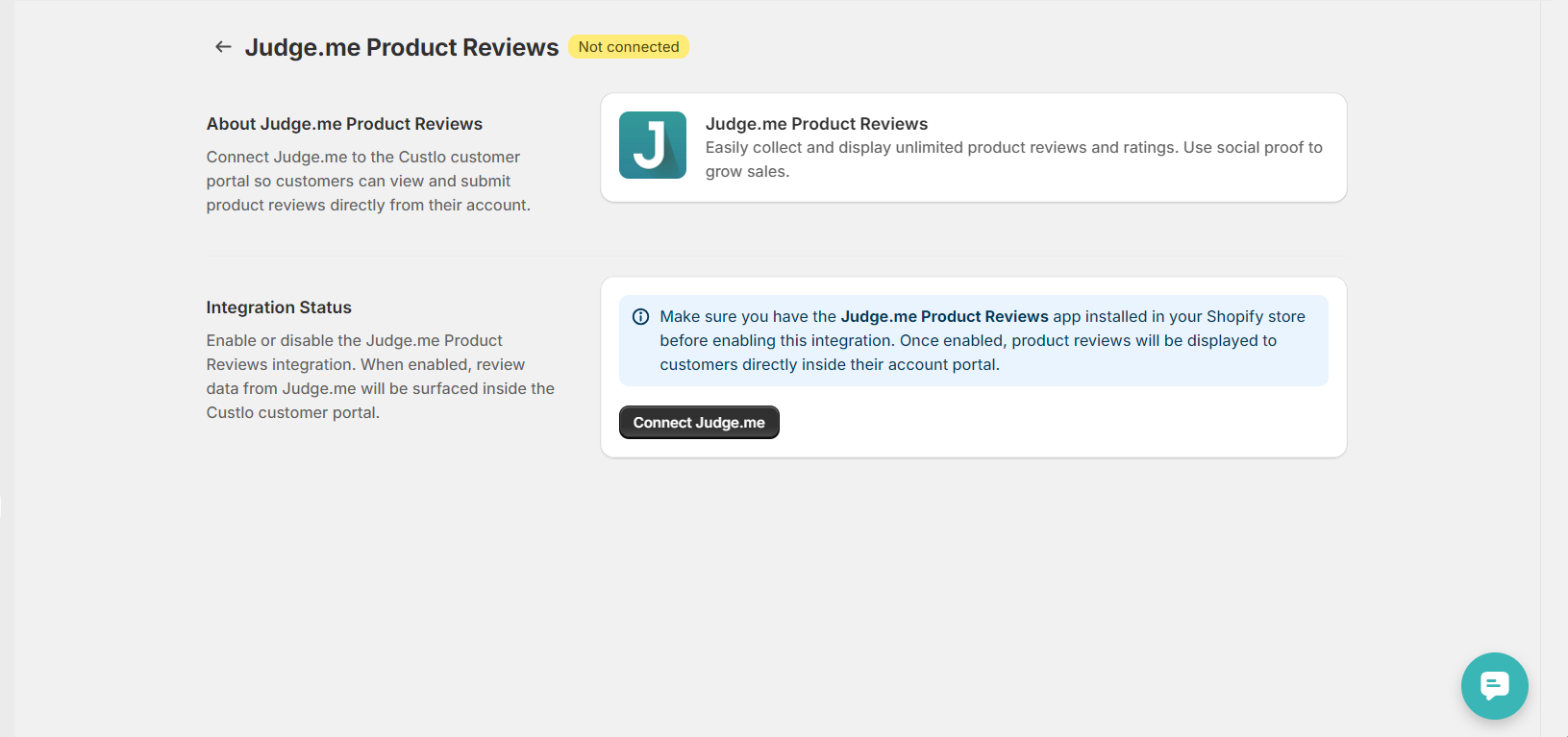
On the integration page, click Connect to enable the integration.
Note: Make sure the Judge.me Product Reviews app is installed in your Shopify store before enabling this integration.
Step 4: Verify the Integration
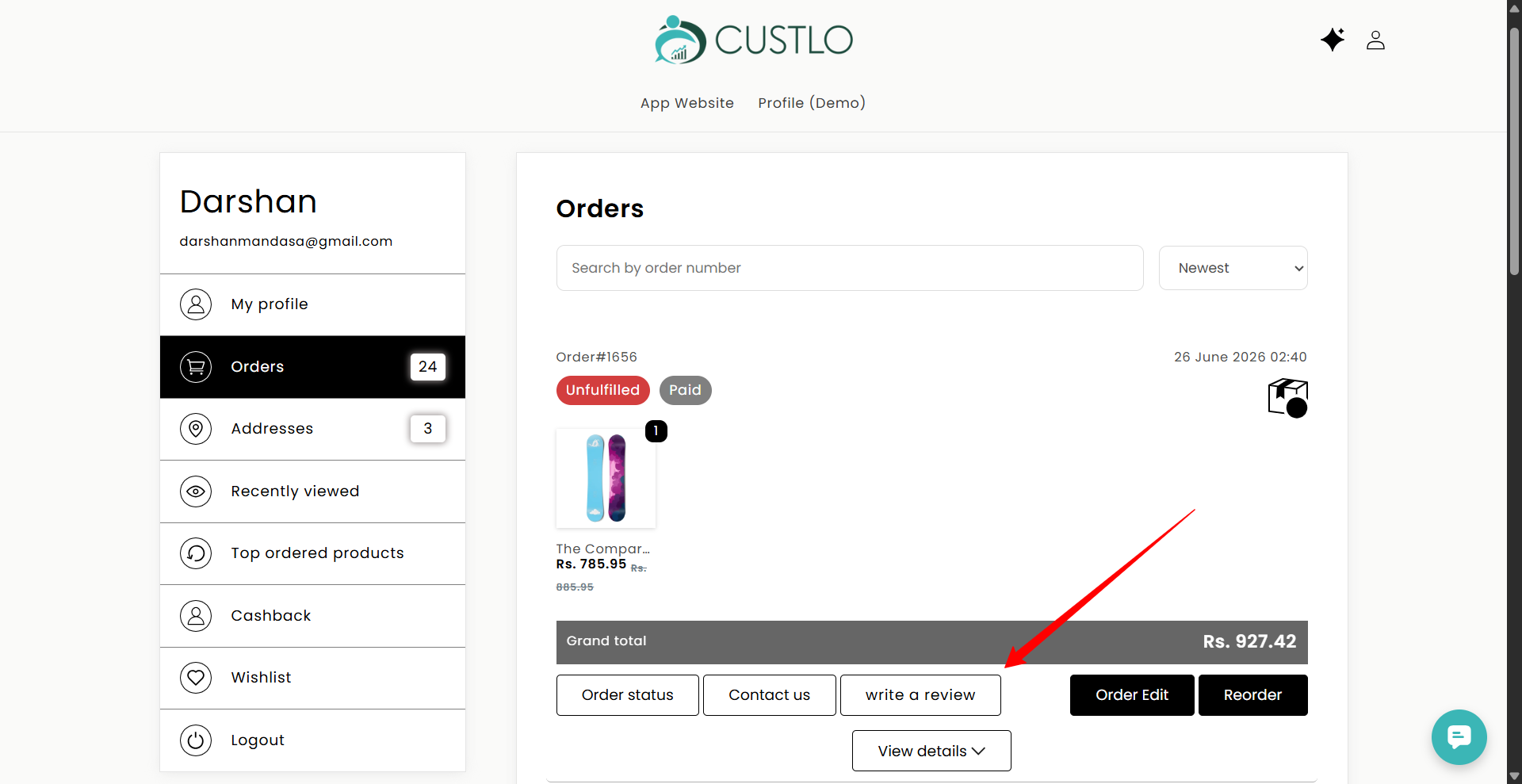
Once the integration is connected, open your storefront and log in to your customer account.
Navigate to the Orders section in the Customer Dashboard. You'll now see a Write a Review button for eligible products.
Clicking the button will redirect customers to the Judge.me review form, where they can submit their product review.
Frequently Asked Questions
Why can't I see the "Write a Review" button?
Please make sure that:
The Judge.me Product Reviews app is installed and configured.
The integration is connected from Custlo → Integrations.
The customer has eligible orders or products that can be reviewed.
The Custlo Customer Dashboard is active on your storefront.
Will product reviews be displayed in the Customer Dashboard?
No. Custlo does not display product reviews. It only adds a Write a Review button that redirects customers to the Judge.me review page.
Does Custlo manage product reviews?
No. Custlo only provides a shortcut for customers to submit reviews. All review collection, moderation, and management are handled by the Judge.me Product Reviews app.