
How do I integrate Custlo with Rise.ai Gift Cards & Loyalty?
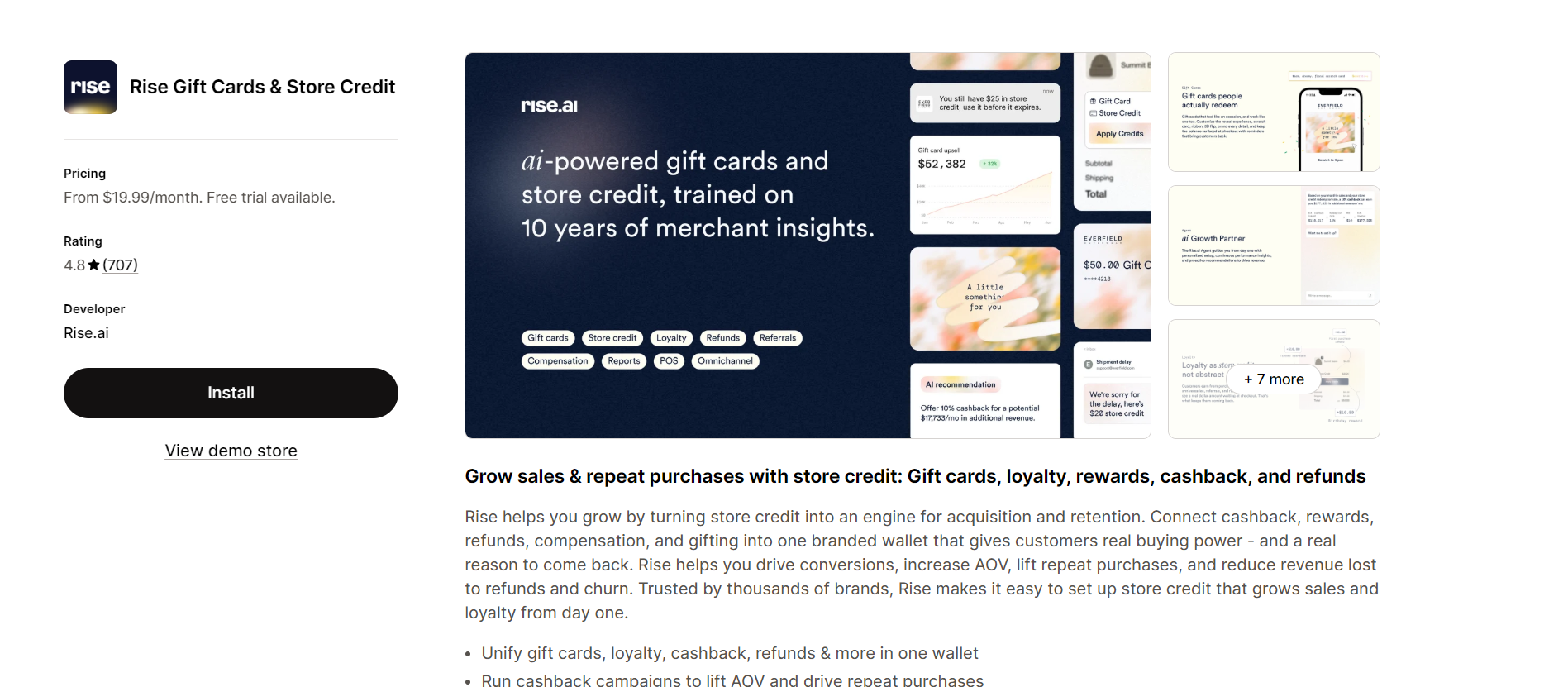
Rise.ai Gift Cards & Loyalty helps merchants manage gift cards, store credit, and loyalty rewards. By integrating Rise.ai with Custlo, customers can access their Rise.ai Rewards page directly from the Customer Dashboard.
Follow the steps below to enable the integration.
Step 1: Install the Rise.ai Gift Cards & Loyalty App
Install and configure the Rise.ai Gift Cards & Loyalty app from the Shopify App Store.
Step 2: Create and Publish a Rewards Page
Before enabling the integration, you'll need to create and publish a Store Credit page in the Rise.ai app.
Open the Rise.ai app.
Go to Assets.
Select the Store Credit tab.
Click Customize Widget.
Choose Add to Page and complete the setup.
Save and publish your Store Credit page.
Once your Store Credit page is published, return to the Custlo app.
Step 3: Open the Custlo App
Go to Shopify Admin → Apps → Custlo – Customer Dashboard Pro.
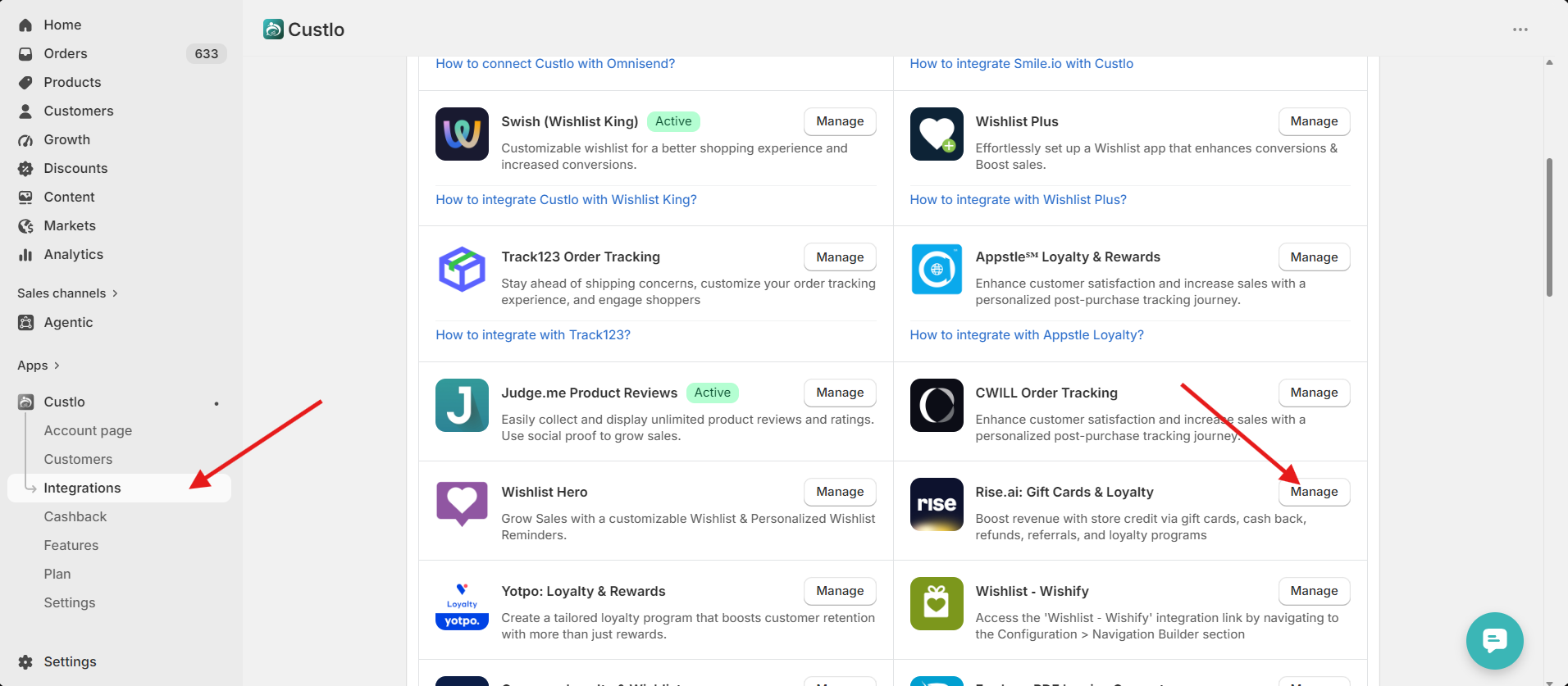
From the left sidebar, click Integrations.
Locate Rise.ai Gift Cards & Loyalty and click Manage.
Step 4: Select Your Rewards Page
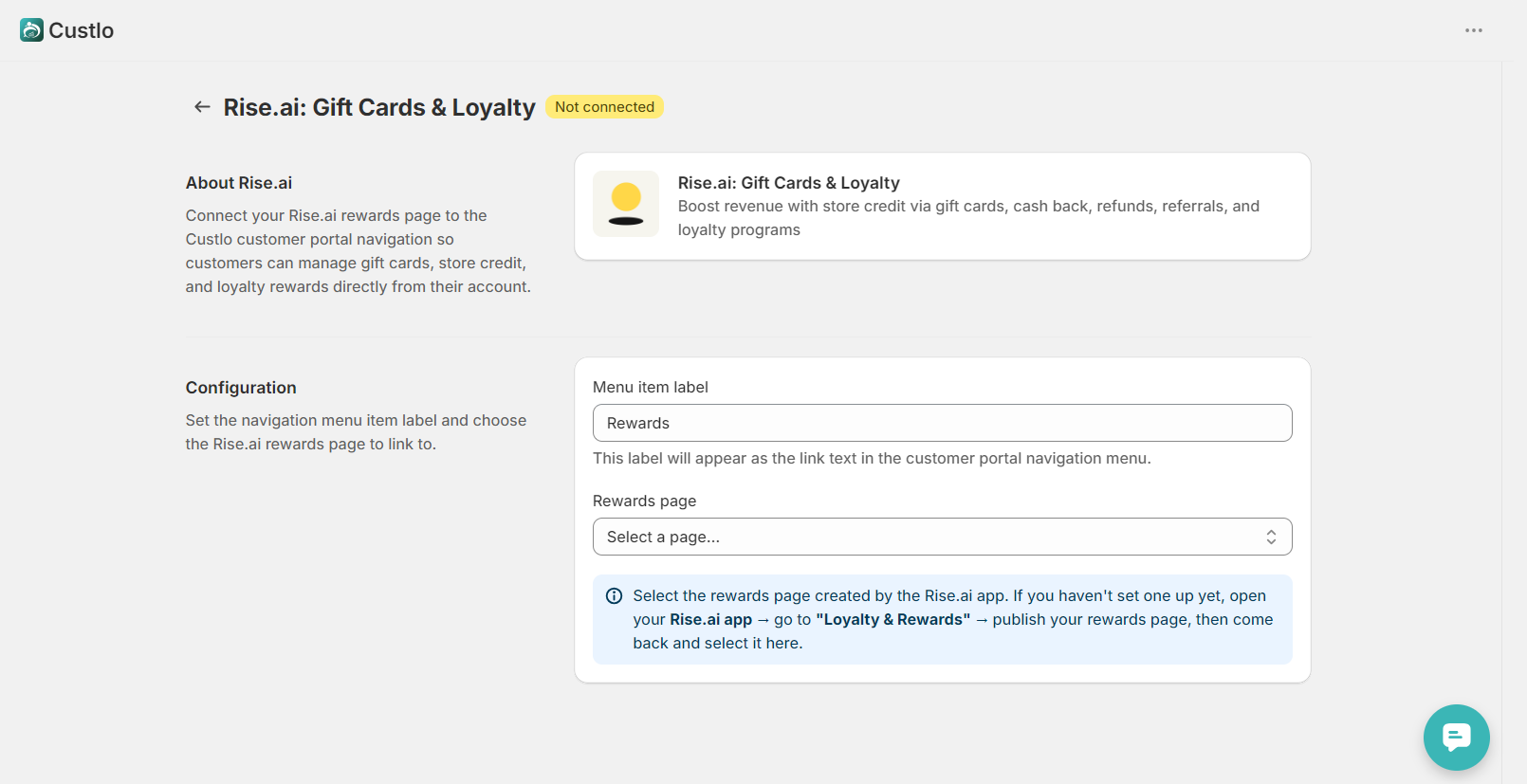
In the integration settings, you'll see a Rewards Page dropdown.
Select the Rewards Page you created and published in the Rise.ai app, then click Save.
Step 5: Verify the Integration
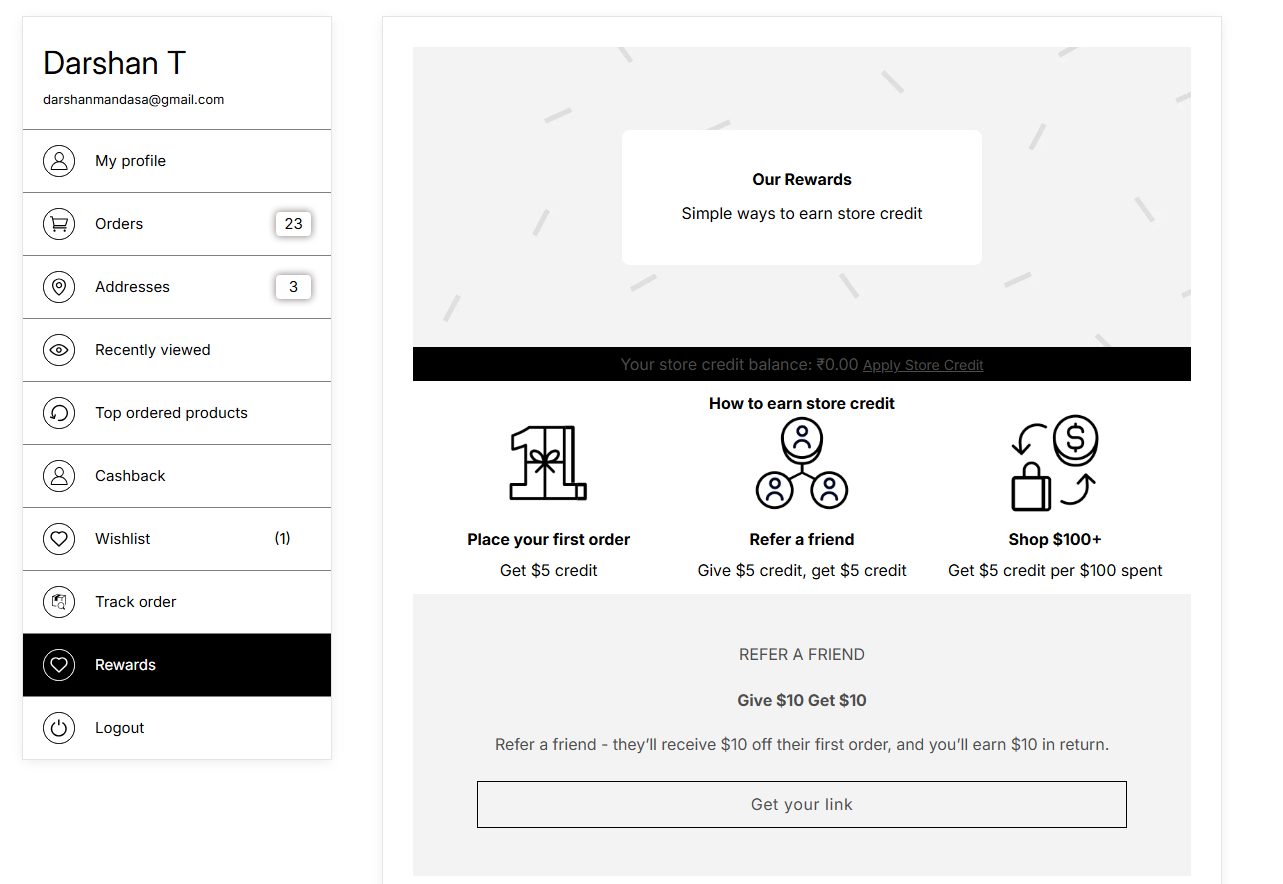
Open your storefront and log in to your customer account.
Navigate to the Rewards section in the Customer Dashboard to view your Rise.ai Rewards page.
Frequently Asked Questions
Why can't I see my Rewards Page in the dropdown?
Please make sure that:
The Rise.ai Gift Cards & Loyalty app is installed.
A Rewards Page has been created and published in Rise.ai → Loyalty & Rewards.
Refresh the Custlo integration page after publishing the Rewards Page.
Do I need to publish the Rewards Page before connecting?
Yes. Only published Rewards Pages are available to select in the Custlo integration settings.
Does Custlo manage gift cards and loyalty rewards?
No. Custlo only displays your selected Rise.ai Rewards page within the Customer Dashboard. All gift cards, store credit, loyalty rewards, and reward rules are managed by the Rise.ai Gift Cards & Loyalty app.