
How do I integrate Custlo with Track123 Order Tracking?
Track123 Order Tracking is a shipment tracking solution that allows customers to track their orders in real time. By integrating Track123 with Custlo, you can display your custom tracking page directly within the Customer Dashboard, giving customers quick access to their order tracking information without leaving their account page.
Follow the steps below to enable the integration.
Step 1: Install the Track123 Order Tracking App
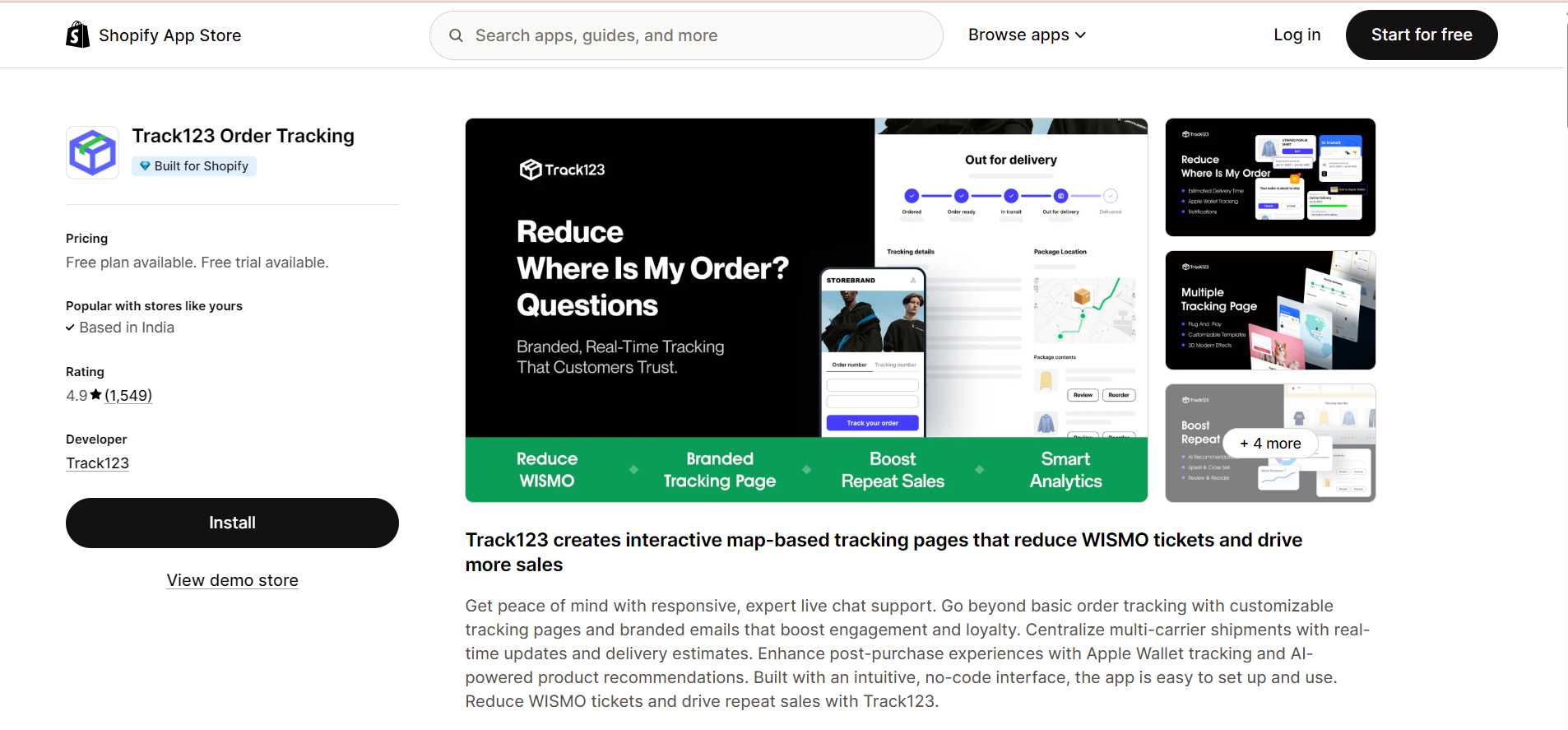
Install and configure the Track123 Order Tracking app from the Shopify App Store.
Step 2: Create a Custom Tracking Page in Track123
Before connecting the integration, you'll need to create a custom tracking page.
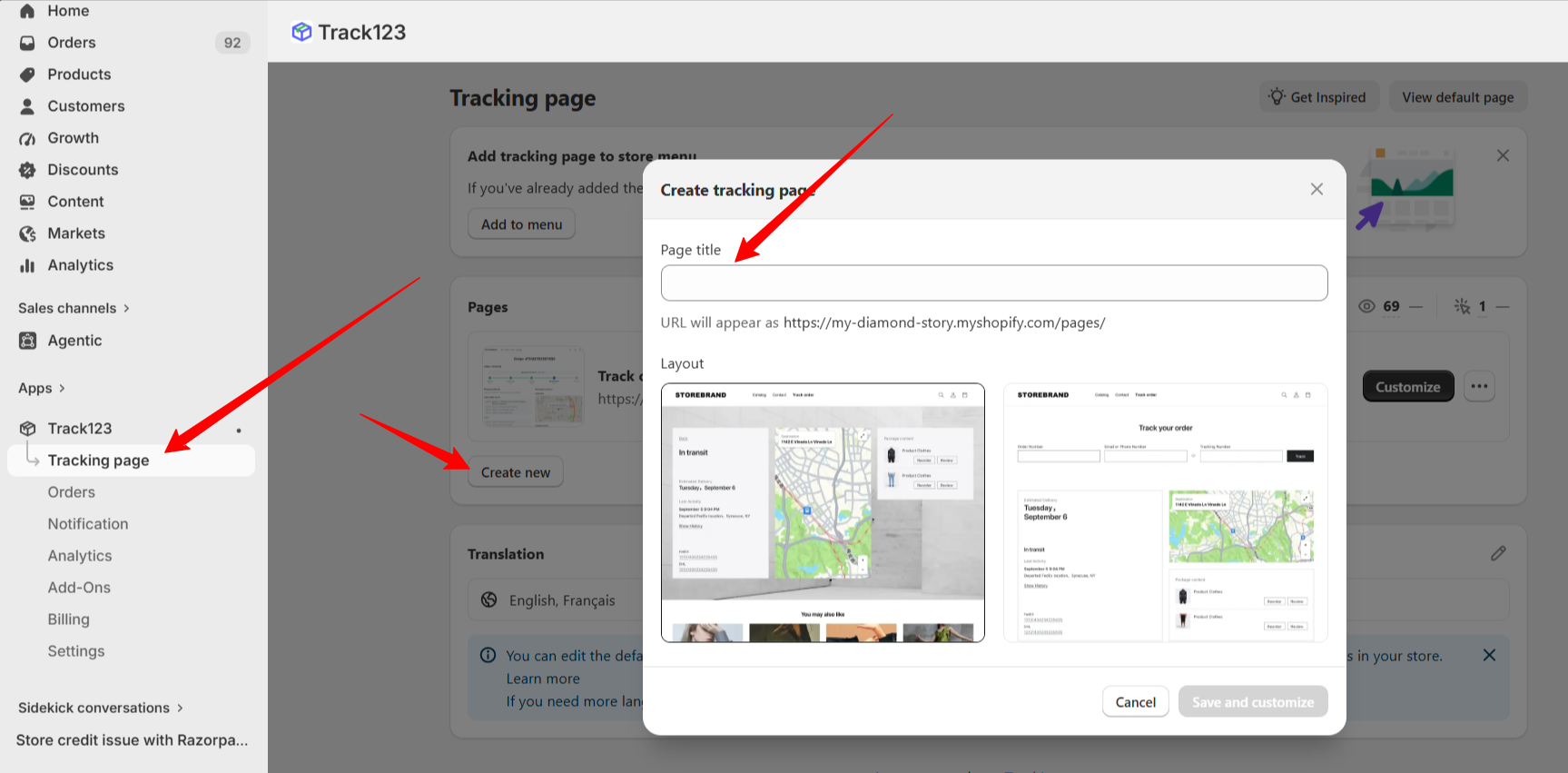
Open the Track123 Order Tracking app.
From the left sidebar, click Tracking Pages.
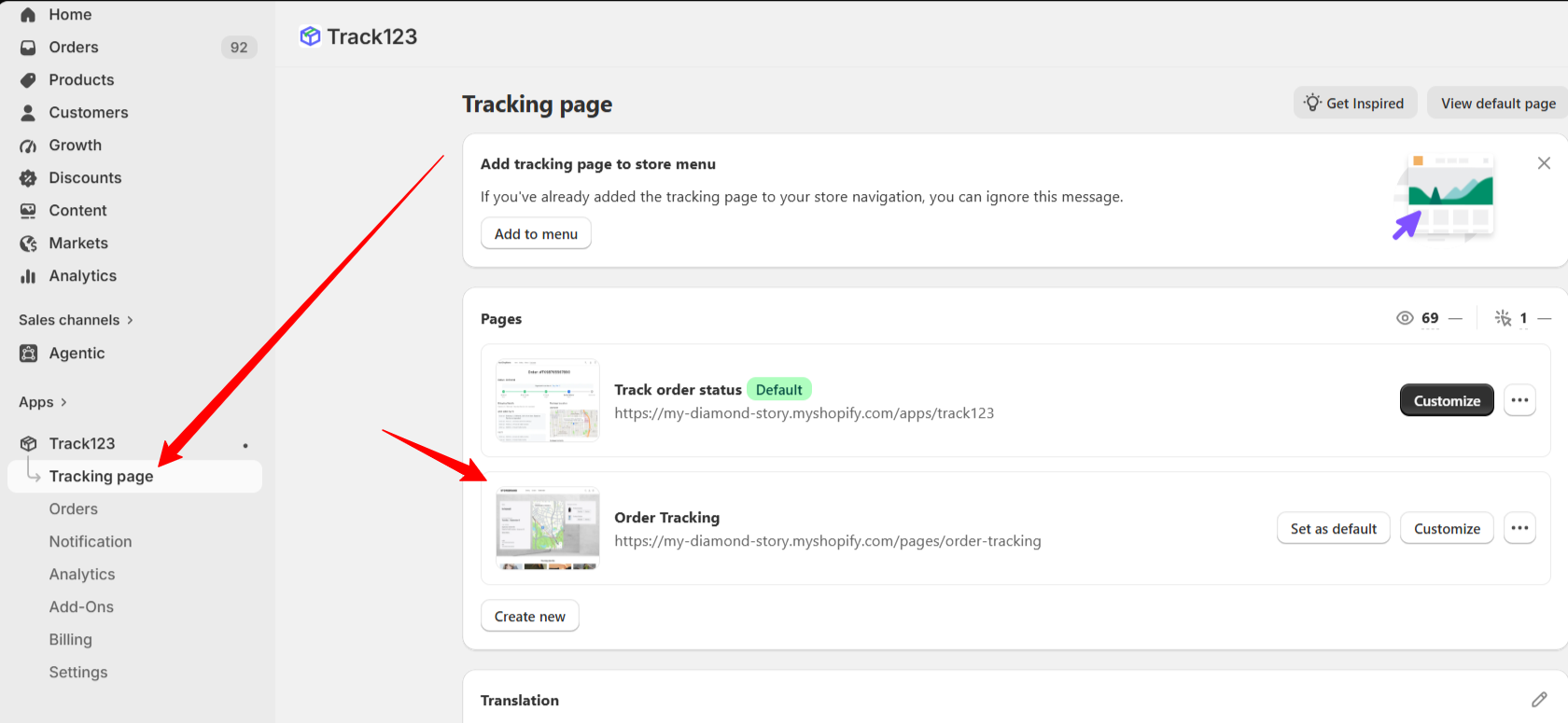
You'll see a default tracking page created by the app.
Leave the default page unchanged and click Create New Page.
Configure the new tracking page according to your preferences.
Click Save.
Your custom tracking page is now ready to use.
Step 3: Open the Custlo App
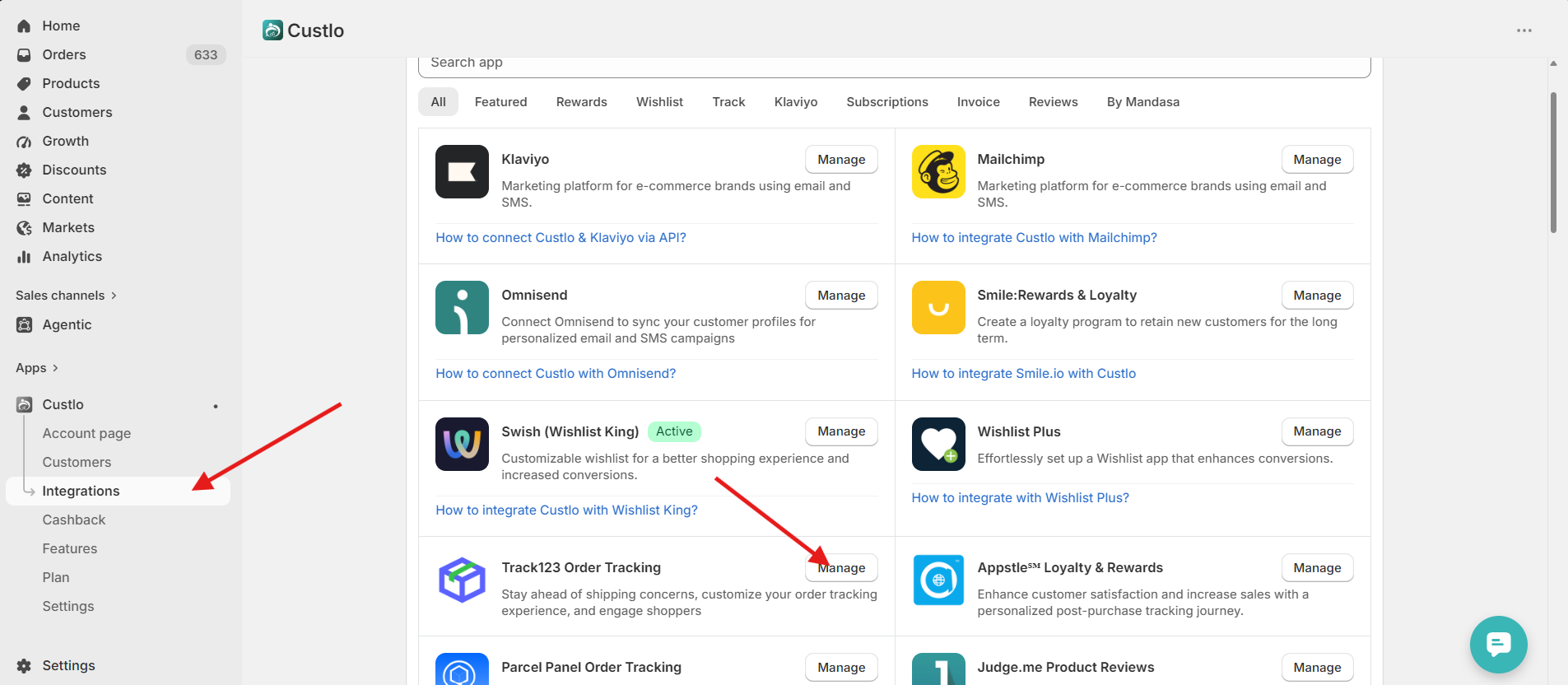
Go to Shopify Admin → Apps → Custlo – Customer Dashboard Pro.
From the left sidebar, click Integrations.
Locate Track123 Order Tracking and click Manage.
Step 4: Select Your Tracking Page
After opening the integration settings, you'll see a Tracking Page dropdown.
Select the custom tracking page you created in the Track123 app, then click Save.
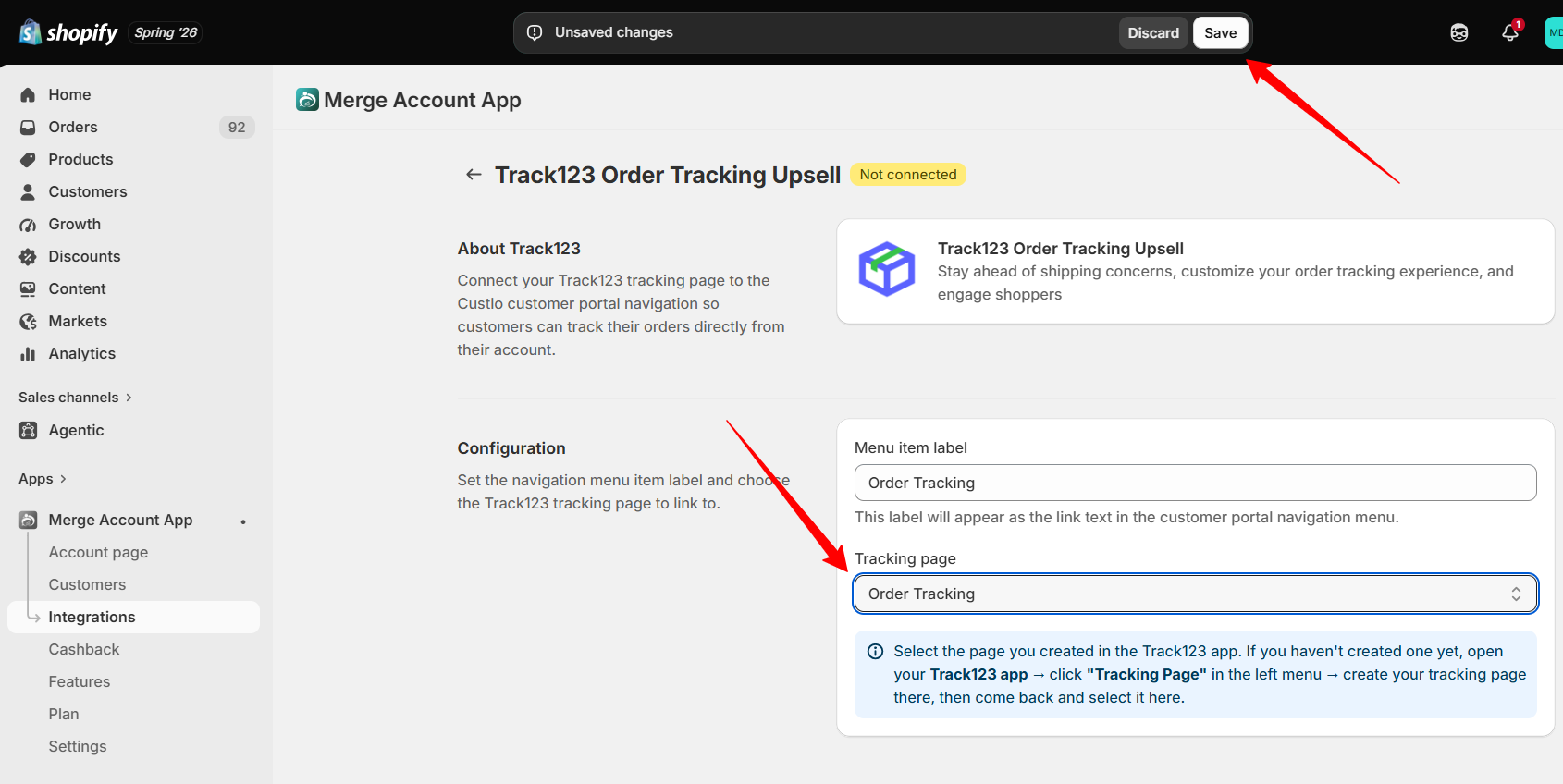
Step 5: View the Tracking Page
Once the integration is saved, open your storefront and log in to your customer account.
Navigate to the Customer Dashboard, where you'll find the Track Order navigation item.
Clicking this navigation will display your Track123 tracking page directly inside the Custlo Customer Dashboard.
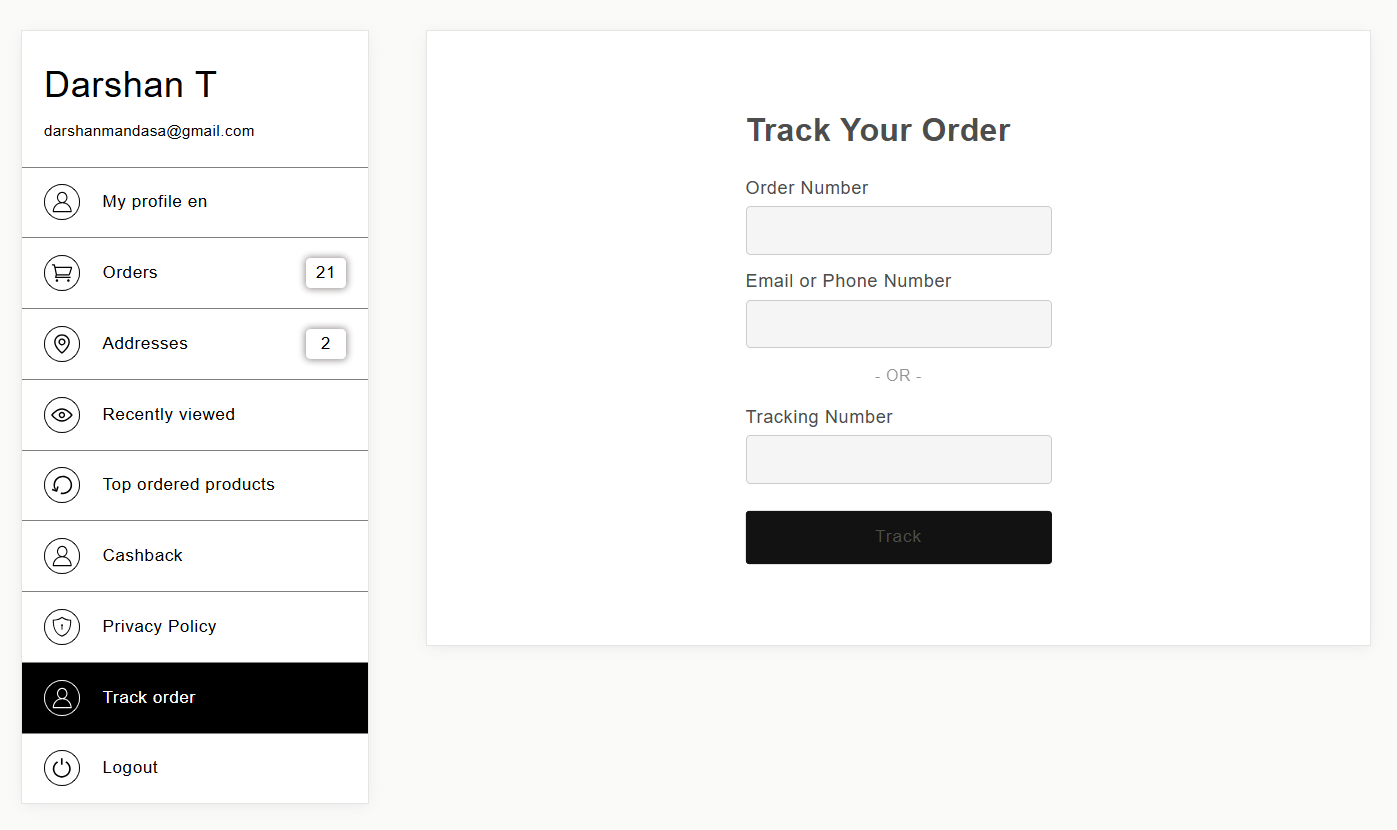
Frequently Asked Questions
Why can't I see my tracking page in Custlo?
Please make sure that:
The Track123 Order Tracking app is installed.
A custom tracking page has been created in Track123.
The correct tracking page is selected in Custlo → Integrations → Track123 Order Tracking.
The integration settings have been saved successfully.
Can I use the default tracking page created by Track123?
For the best experience, we recommend creating a new custom tracking page and selecting it in the Custlo integration settings instead of modifying the default page.
Does Custlo manage shipment tracking?
No. Custlo only embeds your selected Track123 tracking page within the Customer Dashboard. All shipment tracking information, carriers, and tracking updates are managed by the Track123 Order Tracking app.