
How do I integrate Custlo with Smile: Rewards & Loyalty?
Custlo integrates with Smile: Rewards & Loyalty to display your customers' reward points and rewards directly inside the Customer Dashboard.
Follow the steps below to enable the integration.
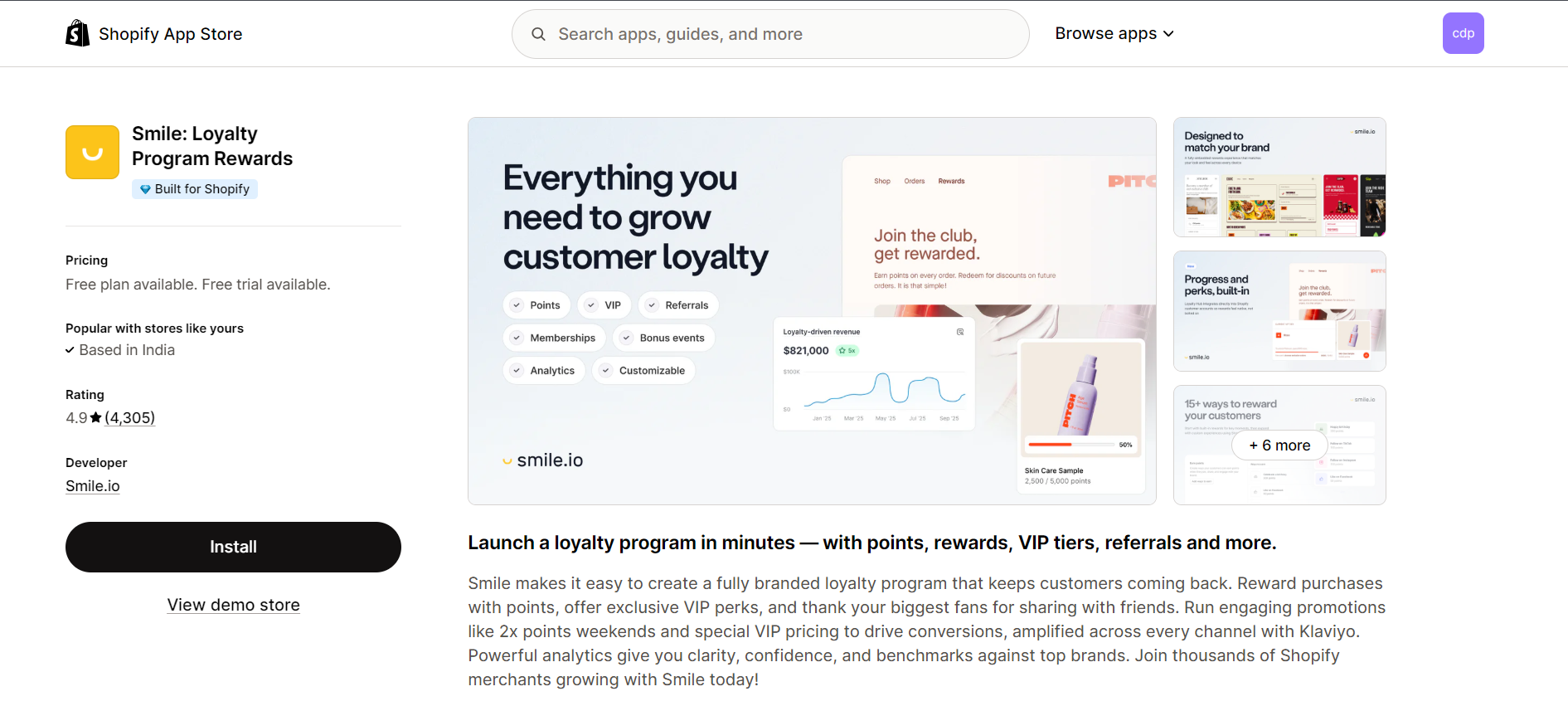
Step 1: Install the Smile App
Install and set up the Smile: Rewards & Loyalty app from the Shopify App Store.
Step 2: Open the Custlo App
Go to Shopify Admin → Apps → Custlo – Customer Dashboard Pro.
From the left sidebar, click Integrations.
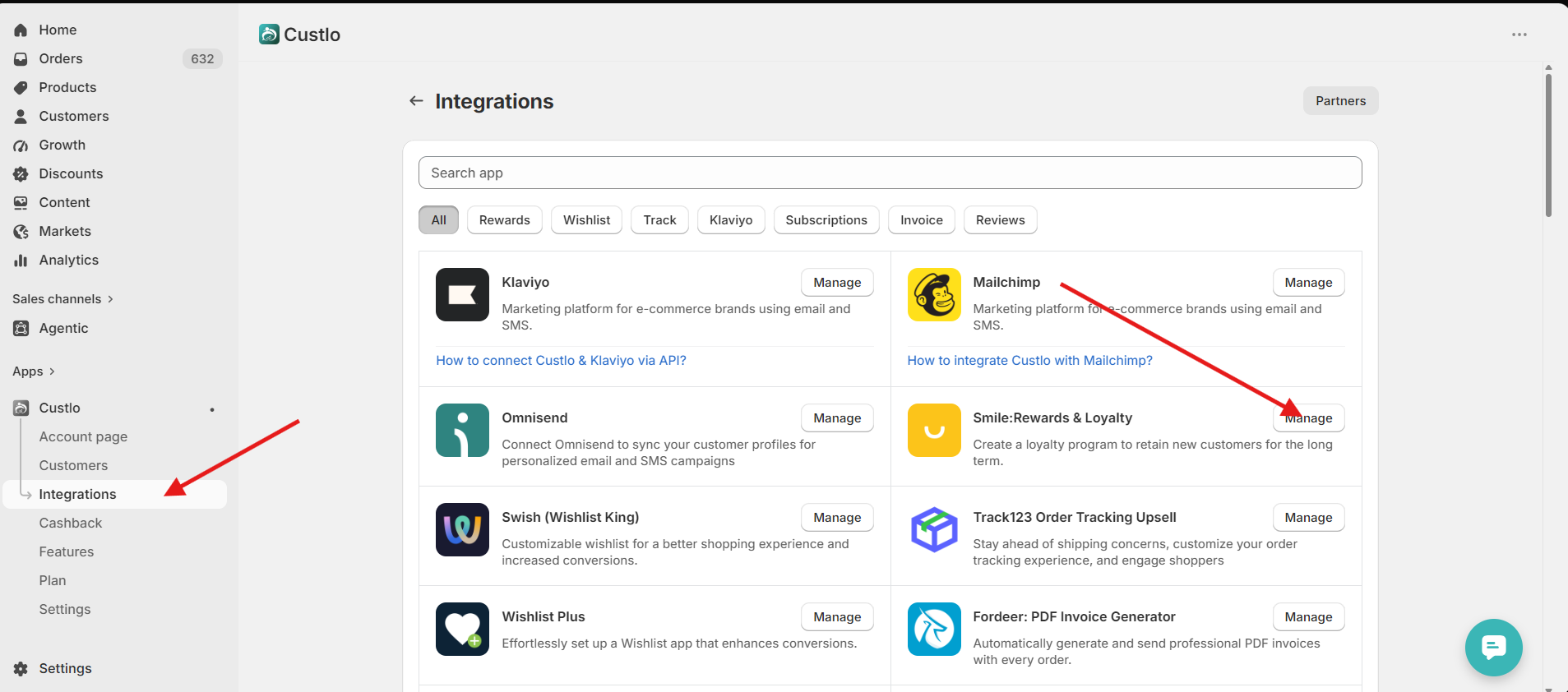
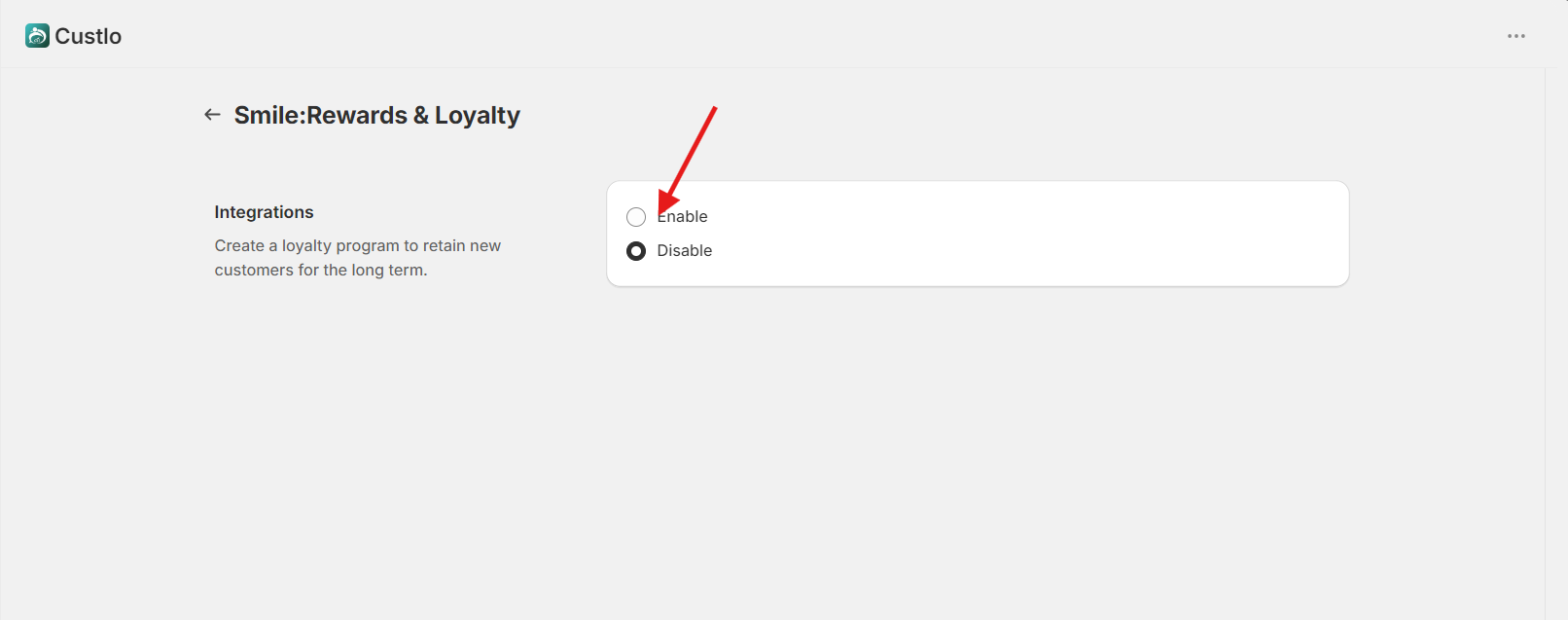
Step 3: Enable the Smile Integration
Locate Smile: Rewards & Loyalty in the integrations list and click Manage.
Once enabled, Custlo will automatically create a Rewards tab in your Customer Dashboard.
Step 4: View Rewards on the Customer Dashboard
Open your storefront and log in to your customer account.
Navigate to the Rewards tab in the Customer Dashboard.
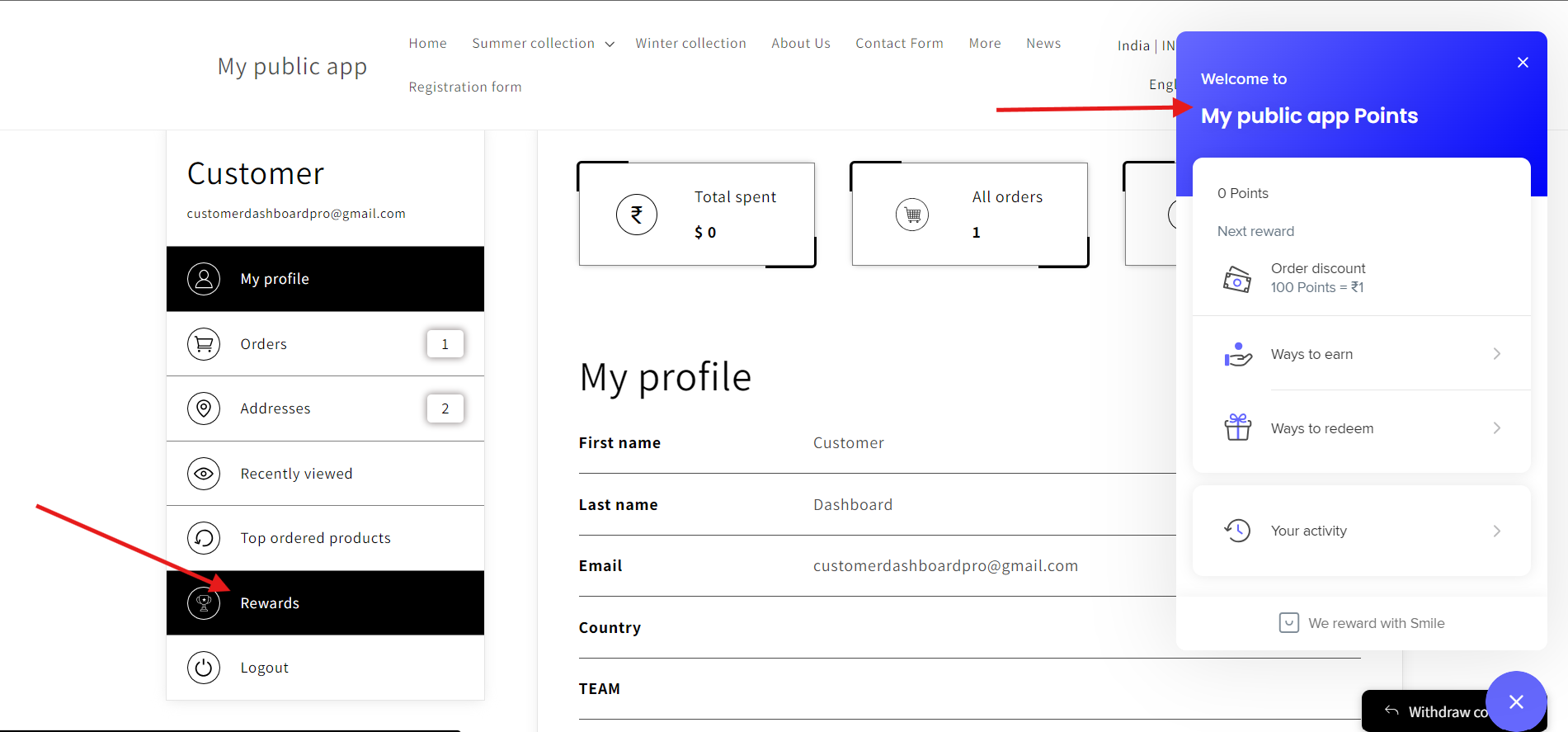
Step 5: Check Reward Details
Click the Rewards tab.
A popup will appear showing the customer's Smile loyalty information, including:
Available reward points
Available rewards
Other loyalty details configured in Smile